

Developer Rule
An Expired Negotiation occurs when a settlement agreement or payment plan agreement has been accepted by both parties, but the consumer fails to complete required payment method setup before the agreement activation deadline. Expired Negotiations are managed automatically by the YouNegotiate platform.Includes
- Settlement Agreements
- Payment Plan Agreements
- Add Payment Method Status
- Automatic Expiration Processing
- New Offer Reinstatement
Negotiation Activation Rule
After a settlement agreement or payment plan agreement is accepted, the account enters: Add Payment Method Status. The consumer must complete payment method setup before the agreement activation deadline.Purpose:
Activate the settlement agreement or payment plan.Expired Negotiation Rule
A negotiation becomes an Expired Negotiation when:- The agreement has been accepted
- Payment method setup is required
- The consumer fails to complete payment method setup before the activation deadline
Purpose:
Prevent accepted agreements from remaining indefinitely inactive.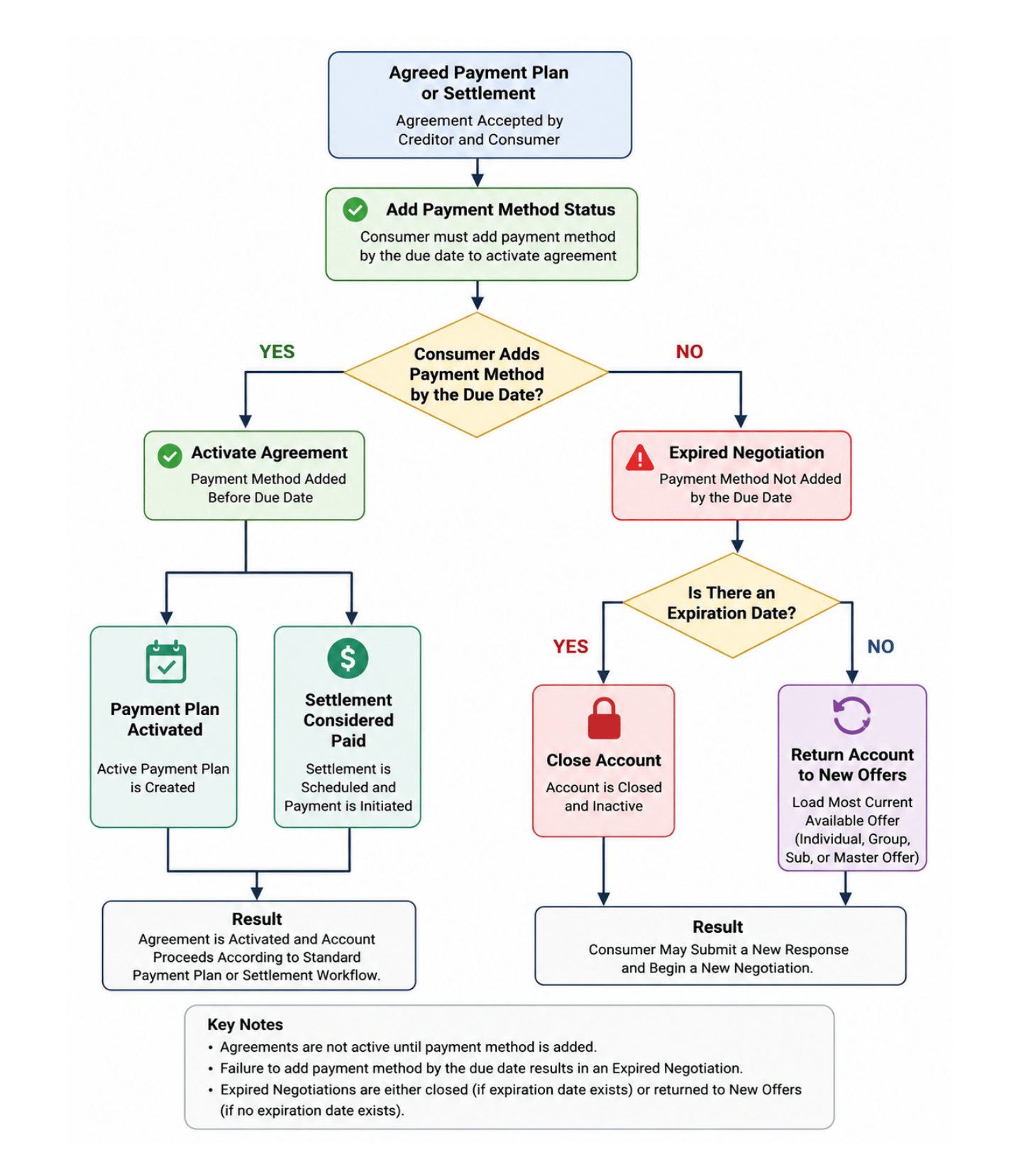
Expired negotiation processing
Account Expiration Processing
If the account has reached its expiration date:- The negotiation expires
- The account becomes eligible for account expiration processing
- The account is automatically closed according to expiration date rules
Purpose:
Honour creditor-defined account expiration requirements.New Offer Reinstatement Rule
If the account does not have an active expiration date restriction:- The Expired Negotiation is closed
- The account is returned to New Offers status
- The consumer may submit a new response or begin a new negotiation
Purpose:
Allow consumers to re-engage without requiring creditor intervention.Consumer Status Rule
Expired Negotiations must not create:- Active Payment Plans
- Scheduled Settlements
- Active Payment Activity The agreement remains inactive until a new negotiation is completed.